Table of Contents
ToggleWiring a smart home system isn’t the same as installing a programmable thermostat. Between network protocols, power draws, structured wiring, and device ecosystems, a full smart home integration can quickly outpace the typical homeowner’s skill set. That’s where a smart home installer comes in, a specialist who bridges the gap between your vision of a connected home and the technical realities of making it all work together. Whether you’re automating lighting, security, HVAC, or full-home control, hiring the right pro can mean the difference between a seamless system and a frustrating mess of incompatible gadgets. Here’s what you need to know before you hire.
Key Takeaways
- A smart home installer designs and integrates connected devices across compatible protocols, handling everything from low-voltage wiring to automation programming—work that typically exceeds DIY capabilities.
- Hire a smart home installer for structured wiring projects, line-voltage work, multi-protocol systems, whole-home automation, or network infrastructure upgrades that require specialized expertise and safety compliance.
- Verify installer qualifications by checking CEDIA certification (EST credential), manufacturer training, licensing requirements, insurance coverage, and references from similar completed projects before signing a contract.
- Smart home installation costs range from $300–$800 for single-room automation to $10,000–$50,000+ for full-home platforms, with additional expenses for ongoing maintenance contracts and software subscriptions.
- Ask prospective installers about brand recommendations, warranty coverage, post-installation support, network documentation, payment terms, and integration with your existing devices to ensure transparent communication and compatibility.
What Does a Smart Home Installer Do?
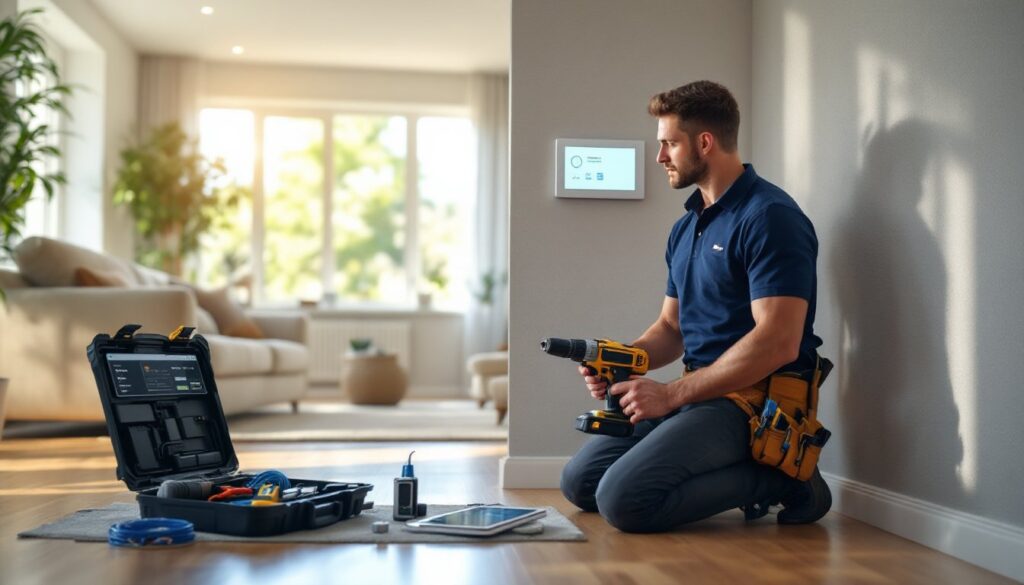
A smart home installer designs, configures, and integrates connected devices into a cohesive system. They’re not just mounting hardware, they’re programming routines, configuring network settings, and ensuring all devices communicate on compatible protocols (Zigbee, Z-Wave, Thread, Wi-Fi, or Matter).
Typical tasks include running low-voltage wiring (Cat6, speaker wire, coaxial), mounting wall panels and control interfaces, installing smart lighting switches and dimmers, configuring hubs and routers, and integrating voice assistants with third-party devices. They also troubleshoot signal interference, set up automation routines (like “goodnight” scenes that lock doors, dim lights, and lower thermostats), and train homeowners on app-based control.
Many installers specialize. Some focus on home theater and multi-room audio, requiring knowledge of HDMI distribution, acoustic tuning, and AV receiver programming. Others concentrate on security and surveillance, dealing with PoE cameras, NVRs, and alarm panel integration. A smart home tech background helps installers stay current with device compatibility.
Unlike general electricians, smart home installers often hold certifications from CEDIA (Custom Electronic Design & Installation Association) or CompTIA, signaling specialized training in home automation.
When to Hire a Smart Home Installer vs. DIY
DIY is manageable for standalone devices: smart bulbs, plug-in sensors, battery-powered locks, or single-room voice assistants. If you’re comfortable with app setup and basic Wi-Fi troubleshooting, these projects don’t require a pro.
Hire an installer when you encounter any of the following:
- Structured wiring projects. Running Cat6 through walls, attic spaces, or crawlspaces for hardwired cameras, access points, or keypads requires fishing tools, wall patching, and knowledge of fire-rated cable routes.
- Line-voltage work. Replacing standard switches with smart dimmers or installing motorized shades often involves live 120V circuits. If you’re not confident working in a breaker panel or testing for hot wires, call a licensed electrician or installer.
- Multi-protocol systems. Integrating devices across Zigbee, Z-Wave, and Wi-Fi requires hub configuration, mesh network optimization, and firmware updates. Mistakes lead to lag, drop-outs, or security vulnerabilities.
- Whole-home automation. Coordinating HVAC zones, motorized blinds, distributed audio, security panels, and lighting scenes demands custom programming (Crestron, Control4, Savant). These platforms aren’t plug-and-play.
- Network infrastructure upgrades. Adding PoE switches, VLANs for IoT devices, or enterprise-grade access points involves network planning beyond consumer-grade routers.
Be honest about your skill ceiling. A botched low-voltage install wastes time and money: a faulty line-voltage job is a fire hazard. Professionals following industry best practices also carry liability insurance.
How to Choose the Right Smart Home Installer
Start by defining your project scope. Are you automating one room or the entire house? Do you need new wiring, or will wireless devices suffice? Clear goals help you vet candidates.
Get at least three quotes. Pricing varies wildly based on experience, regional labor rates, and equipment markups. Compare itemized estimates, not just the bottom line.
Ask for references and photos of completed projects similar to yours. A home theater specialist may not be the best fit for a security-focused install.
Verify licensing and insurance. Some jurisdictions require a low-voltage or electrical license for certain tasks. Liability and workers’ comp coverage protect you if damage or injury occurs.
Discuss equipment choices upfront. Some installers push proprietary systems that lock you into their service for future changes. Others work with open platforms (Home Assistant, Hubitat, or Matter-compatible gear) that give you more flexibility. Make sure you understand ongoing costs, subscription fees, and compatibility with devices you already own.
Check online reviews on Google, Yelp, or Angi (formerly Angie’s List), but read critically. Look for patterns: do clients mention clear communication, punctuality, and clean work? One-off complaints are normal: repeated issues are red flags.
Certifications and Qualifications to Look For
CEDIA certification is the gold standard for custom integrators. CEDIA members complete training in system design, programming, and installation best practices. Look for the EST (Electronic Systems Technician) credential, which covers networking, video distribution, and control systems.
CompTIA A+, Network+, or Security+ certifications indicate solid IT fundamentals, critical when dealing with networked devices and cybersecurity.
Manufacturer training from brands like Lutron, Sonos, Ring, or Control4 shows the installer is authorized and current on product-specific features.
Low-voltage or electrical licenses vary by state. In some areas, running Cat6 or coaxial requires a limited energy license: in others, it’s unregulated. When evaluating smart home tech setups, confirm local code requirements with your municipality.
Background checks matter if the installer will work inside your home unsupervised. Many reputable companies conduct them as standard practice.
What to Expect During a Smart Home Installation
A professional install typically unfolds in phases, not a single visit.
1. Consultation and site survey (1–2 hours). The installer walks your home, assesses Wi-Fi coverage, identifies wire routes, discusses device placement, and reviews electrical panel capacity. They’ll note wall construction (drywall, plaster, brick) and existing infrastructure.
2. Proposal and design (3–7 days). You’ll receive a detailed quote listing equipment, labor, and timelines. For complex systems, expect a system diagram showing device locations, network topology, and control interfaces.
3. Pre-wire and rough-in (if applicable). For new construction or major renovations, installers run cables before drywall goes up. This phase coordinates with electricians and framers.
4. Device installation (half-day to multi-day, depending on scope). Installers mount hardware, terminate cables, configure hubs and routers, and integrate devices. Expect some drywall patching if fishing wires through existing walls.
5. Programming and testing. The installer sets up automation routines, tests every device, verifies network stability, and adjusts settings. This is where experience shows, troubleshooting connectivity issues or protocol conflicts takes skill.
6. Client training (30–60 minutes). You’ll get a walkthrough of control apps, voice commands, and maintenance tips. Ask questions now, don’t wait until the installer leaves.
Safety note: Installers should shut off breakers before working on line-voltage circuits and test with a non-contact voltage tester. Proper cable stapling, fire-rated boxes, and low-voltage separation (keeping data cables at least 6 inches from AC lines) are non-negotiable. Techniques for managing smart home systems evolve, so pros stay current on NEC Article 725 and 800 standards.
Average Costs for Smart Home Installation Services
Pricing depends on project complexity, equipment, and regional labor rates. Here’s a snapshot for 2026:
- Consultation/site survey: $75–$200 (often credited toward the install).
- Single-room automation (smart lighting, thermostat, locks): $300–$800 labor, plus devices.
- Multi-room lighting and shading: $1,500–$4,000, including switches, dimmers, and motorized blinds.
- Whole-home security system (cameras, sensors, control panel): $2,000–$6,000, depending on camera count and storage (local NVR vs. cloud subscription).
- Distributed audio/video: $3,000–$10,000+, with in-ceiling speakers, amplifiers, and streaming integration.
- Full-home automation platform (Crestron, Control4, Savant): $10,000–$50,000+, covering programming, touch panels, and multi-zone control.
Hourly rates range from $75 to $150 per hour. Some installers charge flat fees: others bill hourly with a device markup (typically 10–30% over retail).
Ongoing costs include software subscriptions (cloud storage, remote access), annual maintenance contracts ($200–$500), and firmware update service.
Regional variation: Urban markets (San Francisco, New York, Seattle) run 20–40% higher than rural areas. Material costs fluctuate, chip shortages in 2024–2025 drove smart switch prices up 15%.
Always ask if the quote includes wall patching, painting touch-ups, and debris removal. Budget 10–15% contingency for surprises (hidden obstructions, additional outlets). Comparing smart home approaches can help you prioritize features within budget.
Questions to Ask Before Hiring an Installer
Don’t sign a contract without asking these:
1. What brands and platforms do you recommend, and why? A good installer explains trade-offs (cost, flexibility, ease of use) rather than pushing a single vendor.
2. Do you provide a written warranty, and what does it cover? Look for at least one year on labor and clarity on equipment warranties (manufacturer vs. installer).
3. How do you handle service calls and troubleshooting after installation? Some offer free support for 30–90 days: others charge hourly.
4. Will you provide a network diagram and system documentation? You’ll need this if you switch providers or expand the system later.
5. Are you insured and licensed? Ask for proof of general liability and workers’ compensation.
6. What’s your payment schedule? Standard terms: deposit (25–50%) upfront, progress payment at rough-in, and final payment upon completion. Avoid paying 100% up front.
7. How long will the project take, and what’s your availability? Delays happen, but a pro should give realistic timelines and communicate if schedules shift.
8. Do you subcontract any work? If so, who, and are they also insured?
9. Can you integrate with devices I already own? Compatibility matters. Don’t assume every installer works with every ecosystem. Experts advising on equipment selection stress open standards.
10. What’s included in the final walkthrough? Confirm you’ll get hands-on training, written instructions, and app login credentials.
Trust your gut. If an installer dismisses your questions, pressures you into upgrades, or can’t explain technical choices in plain language, keep looking. Resources like hiring guides reinforce the importance of clear communication and transparent pricing. For newcomers exploring the field, starting with basic concepts builds confidence before committing to a large project.
A smart home should simplify your life, not complicate it. The right installer makes that happen, on time, on budget, and with a system you actually understand.